Database connection string not initialized
Error
System.ArgumentNullException: Database connection string is not initialized. atTourWriter.Info.Services.ConnectionString.GetConnectionString(Nullable`1timeout) in c:\dev\Tourwriter.App\Tourwriter.Client\client\TourWriter.Info\Services\ConnectionString.cs:line 65 at TourWriter.Info.Services.ConnectionString.GetConnectionString() in c:\dev\Tourwriter.App\Tourwriter.Client\client\TourWriter.Info\Services\ConnectionString.cs:line 59 at TourWriter.Info.UserSet.Authenticate(String username, String password) in c:\dev\Tourwriter.App\Tourwriter.Client\client\TourWriter.Info\UserSet.cs:line 28 at TourWriter.Info.UserSet.AuthenticateRemote(String connectionString,String username, String password) in c:\dev\Tourwriter.App\Tourwriter.Client\client\TourWriter.Info\UserSet.cs:line 19 at TourWriter.Forms.Login.Authenticate(DbConnection connection, Stringusername, String password) in c:\dev\Tourwriter.App\Tourwriter.Client\client\TourWriter\Forms\Login.cs:line 109
Resolution
This error message suggests that you have created too many Travelmesh Databases, which is why you are unable to login.
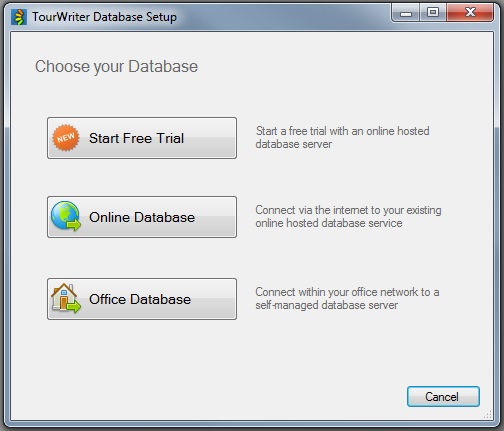
Please follow the steps below to resolve this issue: 1. Open Travelmesh 2. Click on the Setup button 3. Click on the Online Database button 4. Re-enter your Travelmesh Connection Key below and click OK ( note – these settings will be remembered for next time). 5. Login with your Travelmesh username